
Blog
Nordic TV in Spain: a practical guide
Watching Swedish, Norwegian, Danish and Finnish TV from Spain: time zones, fibre and holiday-flat Wi-Fi, catch-up for the evening news, and what to bring.

Television over the internet instead of an aerial, cable or dish. The idea is simple; the details decide whether it works well in your home.
IPTV (Internet Protocol Television) sends TV channels to your screen as data over an internet connection. You need at least 8 Mbit/s for Full HD, a device that can run a player app, and a login. It works anywhere that connection exists, which is its main advantage over aerial and satellite.
IPTV stands for Internet Protocol Television. Internet Protocol is the addressing system that carries web pages and video calls; here it carries live channels. The picture is cut into small packets, sent to your device and put back together by a player app.
Nordic telecom operators already use the technology for the TV they sell with broadband, delivered to their own set-top box over their own network. A service like Nordkanal delivers over the open internet instead, so one login works on a Smart TV, a streaming stick or a phone, in any country.
Each step adds a little delay, which is why IPTV runs a few seconds to around half a minute behind the aerial broadcast. For news and series it does not matter. For a match, it means the neighbours may cheer first.
| Delivery | What you need | Works abroad | Weak point |
|---|---|---|---|
| IPTV | An internet connection and an app | Yes, with a stable connection | Depends on your home network |
| Aerial | An antenna and a tuner | No | Fewer channels, coverage gaps |
| Cable TV | A cable connection in the building | No | Tied to one address |
| Satellite | A dish, a receiver and a clear view south | Within the satellite footprint | Installation and weather |
The right choice depends less on picture quality than on where you live and how you watch. If you move, travel or live abroad, IPTV is the only one of the four that follows you without new hardware.
| Quality | Minimum | Recommended | Typical setup |
|---|---|---|---|
| SD 480p | 3 Mbit/s | 5 Mbit/s | Phone on 4G |
| HD 720p | 5 Mbit/s | 8 Mbit/s | Phone on 5G |
| Full HD 1080p | 8 Mbit/s | 15 Mbit/s | Smart TV |
| 4K UHD | 20 Mbit/s | 30+ Mbit/s | Fibre and a 4K TV |
Then a device that can run a player: most Smart TVs from recent years, a Fire TV Stick, an Android TV box, Apple TV, a phone or a computer. The device guide covers the ones that struggle.
The cheapest way to know whether IPTV works in your home is to test it on your own TV, on your own connection, at the busiest time of the week. Our 48-hour test costs €3 and includes every channel.
IPTV is a form of streaming. The difference from services like Netflix is that IPTV carries live channels on a schedule, with a programme guide, as well as on-demand content.
Usually not. Most recent Smart TVs can run a player app directly. A streaming stick or an Android TV box helps when the TV is old or its app store lacks a suitable player.
At least 8 Mbit/s per screen for Full HD and 20 Mbit/s for 4K. Four screens at once need around 50 Mbit/s.
The technology is legal and used by every major operator. Whether a particular service is legal depends on whether it holds the rights to its channels. The FAQ page covers this, and it is not legal advice.
Watching Swedish, Norwegian, Danish and Finnish TV from Spain: time zones, fibre and holiday-flat Wi-Fi, catch-up for the evening news, and what to bring.
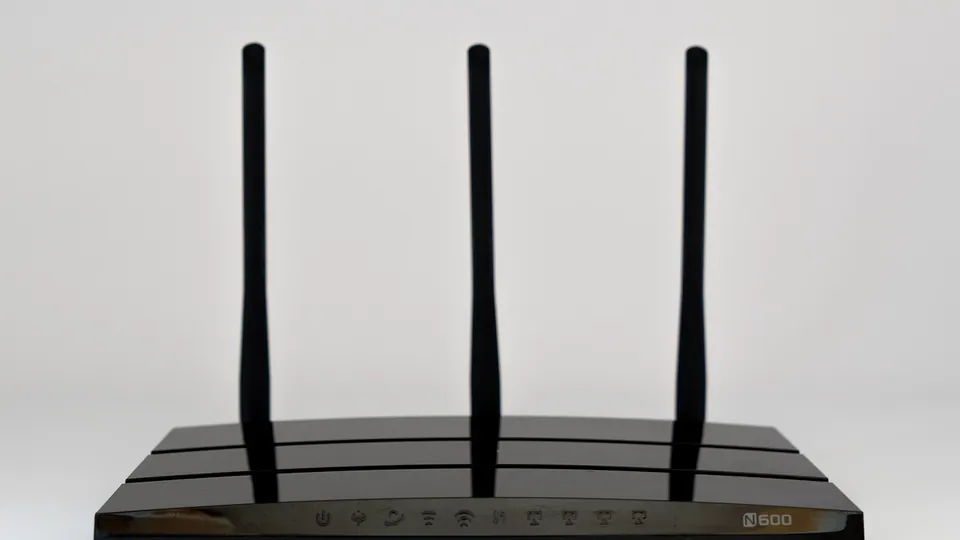
Why IPTV buffers and freezes, in the order the causes usually turn up: Wi-Fi, the device, evening congestion, the player buffer. Plus tests that pinpoint which.

What an M3U playlist is, what an Xtream Codes login is, which to use in which app, and how to fix the error messages that stop a login from working.

The test runs for 48 hours on one screen and stops by itself. Put it over a weekend with a match on, so you test the service at its busiest.